 Hykilpikonna
28 lines
1.2 KiB
Markdown
28 lines
1.2 KiB
Markdown
## About GitHub Rate Limits
|
|
|
|
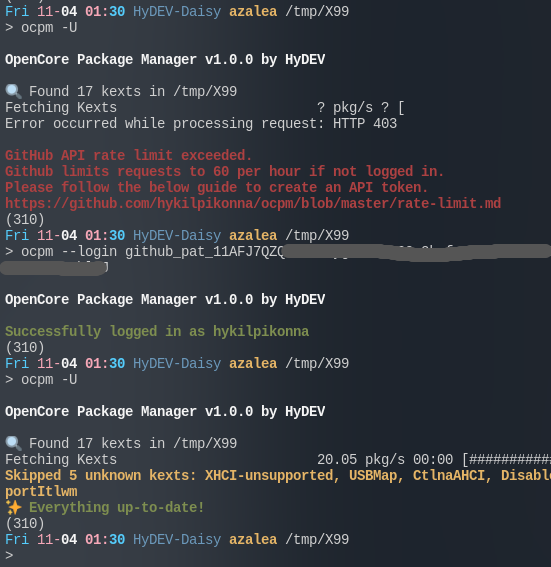
GitHub API limits users to 60 requests per hour if not logged in,
|
|
and since we send 1 request to check each kext's update,
|
|
the 60 requests limit could be easily exceeded.
|
|
You can create an API token with your GitHub account to increase the rate limit to 5000 reqeusts per hour.
|
|
|
|
1. Log in to GitHub on this page.
|
|
1. Click on the profile picture on the upper-right corner, click **Settings**
|
|
<details> <summary>Screenshot</summary>
|
|
<img width='20%' src='https://user-images.githubusercontent.com/22280294/199890212-61d98006-d5b1-4104-a6c7-cc4385dd3c49.png'>
|
|
</details>
|
|
3. In the left sidebar, click **Developer Settings** at the bottom
|
|
4. In the left sidebar, under **Personal Access Tokens**, click **Fine-grained tokens**
|
|
5. Click **Generate New Token** on the right
|
|
6. Enter OCPM for **Token Name**
|
|
7. Set an expiration day
|
|
8. Scroll down and click **Generate Token**
|
|
9. Copy the token
|
|
|
|
### After Generating a Token
|
|
|
|
After generating a token, you can login to GitHub on OCPM by typing:
|
|
|
|
`ocpm --login <your_token_here>`
|
|
|
|
|